How to Switch Amazon Agencies Without Losing Sales
 David Balan
Co-founder, Horison Marketing8 min read

Most of the sales lost in an agency switch aren’t lost because the new agency is worse. They’re lost in the gap: campaigns paused while access is sorted out, search term history that wasn’t downloaded in time, creative files nobody can find, or a new team rebuilding everything in week one. A switch done in the right order avoids all of that. This guide sets out the order.
Before you give notice: read the contract
The contract decides how fast you can leave and what you take with you, so read it before you tell anyone. Check five things:
| Clause | What to look for |
|---|---|
| Notice period and minimum term | How many days, from when, and how notice must be given |
| Fees after notice | Whether you pay for the notice month in full, and any exit or handover fee |
| Ownership of work | Who owns creatives, copy, keyword research and reports |
| Handover | What the agency must hand back, and by when |
| Access | Whether any account, tool or ad account is registered in the agency’s name |
Creative files need particular care. Under UK law, the creator of commissioned work is the first owner of the copyright unless you agree otherwise in writing. Paying for images doesn’t automatically mean you own the source files. If the contract is silent, ask for a written assignment and the editable files as part of the handover.
If you’re choosing your next agency now, check its contract against our nine Amazon agency contract red flags so the next switch, if there is one, is easier.
Check you own every account
You should own every account; the agency should only ever hold user access you can remove. Check these four before you give notice:
- Seller Central. You should be the primary user. If the agency set up the account or holds the main login, fix that first.
- Amazon Ads. Campaigns should run in your own advertising account, with at least one admin user on your side. Amazon only lets you remove an admin if another admin remains. If the agency manages you through its manager account, that link can be removed; your advertising account stays yours.
- Brand Registry. The trademark owner’s account should hold the Rights Owner and Administrator roles. Only Administrators can assign roles, so an agency holding the only Administrator role controls your brand protection and A+ content.
- Third-party tools. Agencies often connect repricers, PPC tools or reporting software. Sellers can revoke these in Seller Central under Apps and Services, then Manage Your Apps.
What to export before you switch
Export everything before you give notice, while relations are good. Some Amazon Ads reports only go back a few months: one analysis puts the console’s search term report at about 60 days and Sponsored Products API data at up to 95 days. Download now and keep downloading monthly until the new agency has its own history.
| Export | Where | Why it matters |
|---|---|---|
| Bulk sheet of all campaigns | Amazon Ads bulk operations | Full structure, bids, targets and negatives in one file |
| Search term reports | Amazon Ads reports | Which searches converted; short retention |
| Targeting and advertised product reports | Amazon Ads reports | Performance by keyword and ASIN |
| Business Reports by child ASIN | Seller Central | Sessions, conversion and sales baseline |
| Brand Analytics (Search Query Performance) | Seller Central | Search share for your main terms |
| Listing content | Category listings report or flat file | A copy of every title, bullet and attribute as it stands |
| Creative source files | From the agency | Editable PSD, AI or Figma files, not just uploaded JPEGs |
| Keyword research and negative lists | From the agency | Months of work you’ve paid for |
| Bid rules and automation settings | From the agency’s tools | So the new team knows what was running automatically |
| Promotions calendar, open Seller Support cases, stock plan | From the agency | Nothing time-sensitive gets dropped |
How to hand over access without a gap
Overlap the two agencies for two to four weeks, with the new one on view-only access, so there is never a day when no one is watching the account.
- Invite the new agency. In Seller Central, Settings, then User Permissions. In Amazon Ads, add their users as viewers first. Amazon Ads has admin, editor and custom access levels; view-only access lets them audit without touching anything.
- Give notice, and ask the outgoing agency for the handover items in writing, with a date.
- Hold a handover call with both agencies: what’s running, what’s mid-test, what’s seasonal, what broke recently.
- Switch editing rights on an agreed date. The new agency gets editor access; the outgoing agency drops to viewer or is removed.
- Remove the old agency completely at the end of the notice period: Seller Central users, Amazon Ads users or manager account link, Brand Registry roles, connected apps, and any shared passwords.
Never give any agency your primary login. Individual user permissions are safer, and you can remove them in minutes.
The 30/60/90-day transition checklist
The aim is to keep sales steady while the new team learns the account, then improve in stages so every change can be measured.
Before day 1 (notice period)
- Exports done and stored in your own drive
- New agency has view-only access and a written audit plan
- Handover call held; open cases, promotions and stock risks listed
Days 1–30: stabilise and audit
- No campaign is paused, archived or rebuilt without a written reason. Archived Amazon campaigns can’t be reactivated, only recreated without their history
- Cut obvious waste: search terms with spend and no sales, bids far above break-even ACoS
- Fix urgent issues: suppressed listings, stock-outs, account health warnings
- Agree targets and a baseline (the same period last year)
Days 31–60: fix and restructure
- Restructure campaigns in stages, one product group at a time
- Rewrite the listings that convert worst, and test images or titles with Manage Your Experiments
- First monthly review against the baseline
Days 61–90: scale
- Move budget to what’s working and launch new campaign types
- Roll out creative and A+ improvements across the catalogue
- Second monthly review: total sales, TACoS, organic share, conversion rate
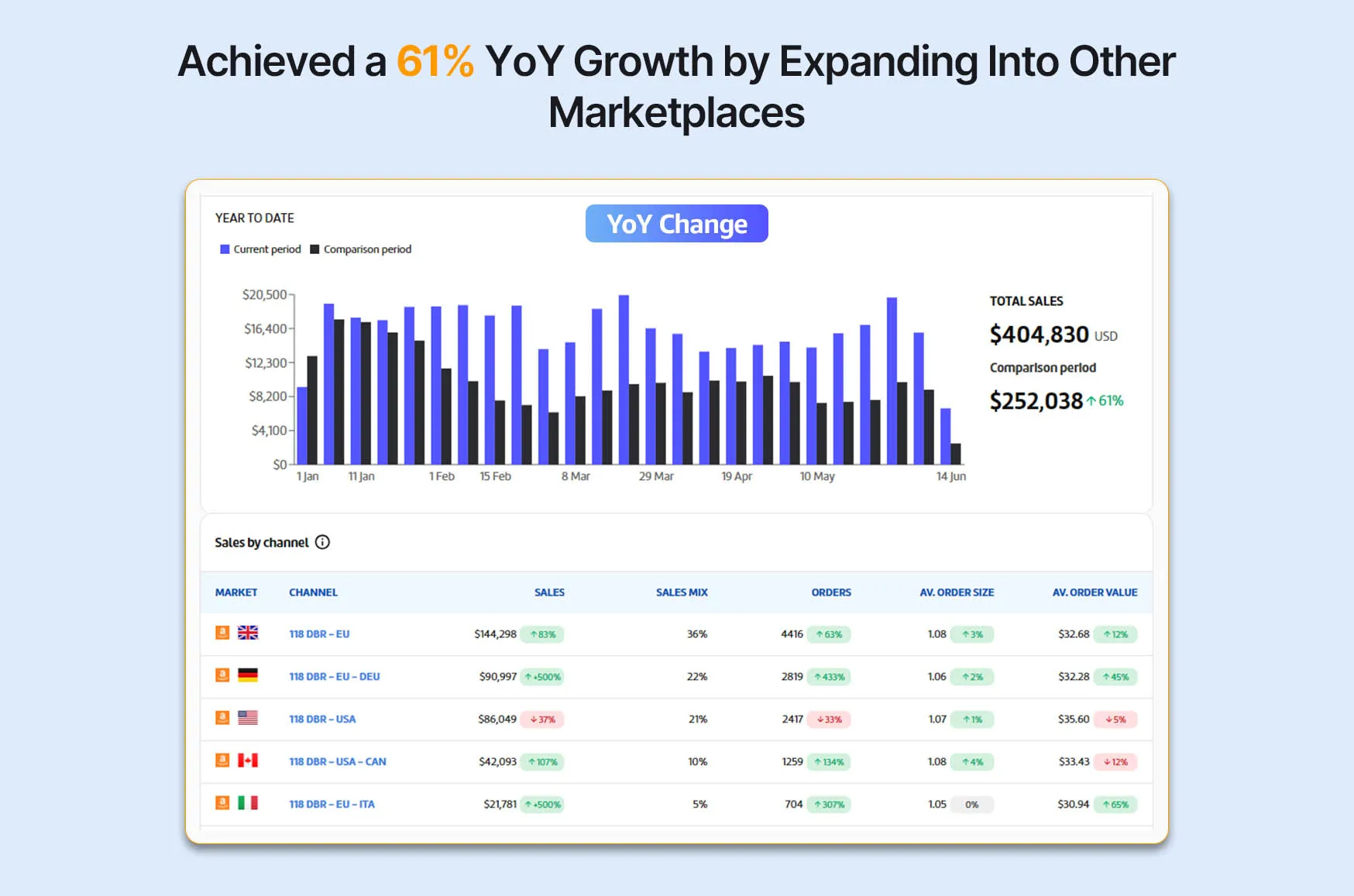
Staged restructures are measurable. For one brand, grouping ASINs by parent, splitting campaigns by match type and fixing image order across the catalogue produced 36.7% sales growth from July to December 2024 versus the same months of 2023. For another, PPC changes cut ad spend from 21% to 8.5% of revenue while sales grew 49% year on year.
What a good first six months looks like in more detail is in what a full-service Amazon agency does, month by month, and how a well-run onboarding is structured is in the Amazon onboarding formula.
Red flags during a switch
From the outgoing agency:
- Campaigns paused, archived or deleted after you give notice
- Creative or keyword files withheld, or a handover fee that isn’t in the contract
- Access removed before the agreed date, or accounts that turn out to be in the agency’s name
From the incoming agency:
- Asks for your primary login instead of user permissions
- Wants campaigns run from its own advertising account
- Plans to delete and rebuild everything in the first week
- Promises a ranking or sales figure before it has seen your data
- No written audit or 90-day plan
If the outgoing agency won’t co-operate, don’t let it stall your account. Use your exports, keep the existing campaigns running, and remove its access on the date your contract allows.
How to tell the switch worked
Judge the new agency on trends over three to six months, against the same period last year, not on week one. Track:
| Metric | What good looks like |
|---|---|
| Total sales | Steady through the handover, then rising |
| TACoS | Flat or falling as sales grow (check with our TACoS calculator) |
| Organic share of sales | Rising |
| Conversion rate by ASIN | Rising on the listings that were rewritten |
| Account health | No new warnings |
A small dip in ad-attributed sales in the first fortnight, while waste is cut, is normal. A fall in total sales is not.
How Horison handles a switch
You keep ownership of your Seller Central account, ad account and data, and we work only through user permissions you control and can remove. A good first month is an audit and urgent fixes, not a rebuild. Horison is an Amazon Ads Verified Partner and has managed more than 200 brands across the UK, EU and US.
If you’re weighing up a move, see how we work as an Amazon agency for UK brands, or book a free discovery call and we’ll look at your account before you give notice anywhere. Raz Dita, our CEO, explains why PPC needs a data-driven plan in episode 1 of The Seller’s Journey podcast.
This article is general guidance, not legal advice. Have a solicitor review your contract if ownership or notice terms are unclear.
Frequently Asked Questions
How do I switch Amazon agencies without losing sales?
Keep everything running while you move. Check your contract and ownership first, export your campaign, search term and listing data before you give notice, give the new agency access before removing the old one, and agree that nothing is paused, archived or rebuilt in the first 30 days without a reason. Then change things in stages so you can see what each change did.
How much notice do I need to give my Amazon agency?
Whatever your contract says. Thirty days is common, sometimes after a minimum term of three months or more. Check the contract for the notice period, how notice must be given (often in writing to a named address) and whether any fees apply after notice.
Who owns my Amazon campaigns and data when I leave an agency?
If the campaigns run in your own Amazon Ads account, they and their history stay with you. Creative files are different. Under UK law the creator of commissioned work owns the copyright unless you agreed otherwise in writing, so check your contract and ask for the editable source files.
What should I download before leaving my Amazon agency?
A bulk sheet of every campaign, search term and targeting reports for as far back as Amazon allows, Business Reports, your listing content, keyword research, negative keyword lists, bid rules, creative source files, the promotions calendar, open Seller Support cases and the stock plan.
How do I remove an agency's access to Seller Central and Amazon Ads?
In Seller Central go to Settings, then User Permissions, and remove the agency's users. In Amazon Ads, remove their users or unlink their manager account, making sure another admin remains on your side. Also revoke any third-party apps they connected under Manage Your Apps, and change any password you ever shared.
Should a new Amazon agency rebuild my campaigns straight away?
Usually not. A good agency audits for the first few weeks, fixes wasted spend and urgent problems, then restructures in stages. Rebuilding everything at once throws away performance history and makes it impossible to tell which change helped or hurt.
How long does it take to switch Amazon agencies?
Plan for about 90 days from first access to a fully running new plan, plus your notice period. The handover itself can be done in a week or two if the outgoing agency co-operates and you have exported your data.

David Balan is co-founder of Horison Marketing, a full-service Amazon agency that has managed over $1B in lifetime Amazon revenue for brands in the UK, EU and US.